GitTheGate
📅 Published: 2026-05-02 23:07 | 🔄 Last Updated: 2026-05-08 13:30
https://cyberdefenders.org/blueteam-ctf-challenges/gitthegate/
The attack appears to have taken place on the 25th of May between 9 am and 11:30 am
- .alerts-security.alerts-default...: Đây là kho chứa kết quả cảnh báo. Khi hệ thống Elastic Security phát hiện ra mã độc hoặc hành vi đáng ngờ (dựa trên các rule được cài đặt), nó sẽ sinh ra một "Alert" và lưu vào đây. Bạn đang thấy dấu chấm
.ở đầu tên, điều này ám chỉ đây là System Index (kho dữ liệu hệ thống ẩn, thường không nên chỉnh sửa tay). - auditbeat-: Chứa dữ liệu thu thập từ Auditbeat. Đây là một phần mềm (agent) chuyên dùng để giám sát tính toàn vẹn của file (FIM) và các tiến trình (process) đang chạy trên hệ thống, đặc biệt phổ biến trong môi trường Linux.
- Hook vào kernel của linux, thông qua linux audit framework lấy thông tin mạng, process rất tốt
- filebeat-: Chứa dữ liệu từ Filebeat. Đây là "người vận chuyển" log phổ biến nhất. Nhiệm vụ của nó là đọc các file text (như log của web server Nginx, Apache, Syslog của Linux) rồi đóng gói gửi về ELK.
- đọc file txt trên ổ cứng mà thôi
- kibana_sample_data_logs: Đây là dữ liệu giả (Mock data) do chính Kibana tạo sẵn. Khi bạn mới cài ELK và chưa có dữ liệu thật, Kibana cho phép bạn add một bộ dữ liệu mô phỏng log của một trang web thương mại điện tử để bạn "vọc vạch", tập viết query và vẽ biểu đồ.
-
- Filebeat: "Người giao báo" (Chỉ đọc File text)
Q1: Using the "View Surrounding Documents" option, find the ID of the document that is 14 documents before (older) the id GDQOB3IBwJHf9VOW-r0Y?
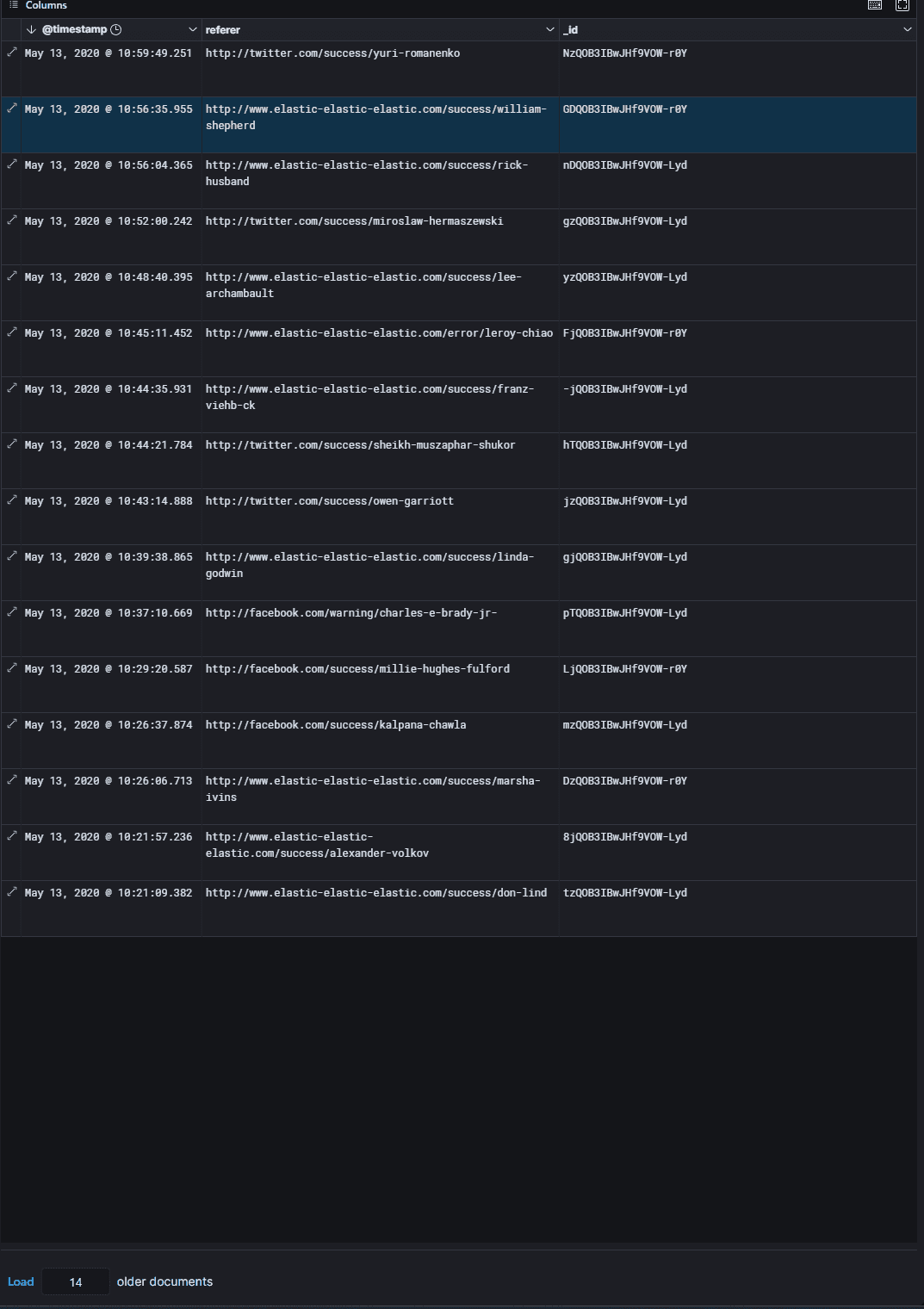
Q2: Using the "View Surrounding Documents" option, find the IP of the document that is 16 documents after (newer) the id vDQOB3IBwJHf9VOW-Lyd?
191.189.39.130
Q3: How many requests have come from the IP address 2.49.53.218 between the 6th of May and the 13th of May? (time is in UTC)
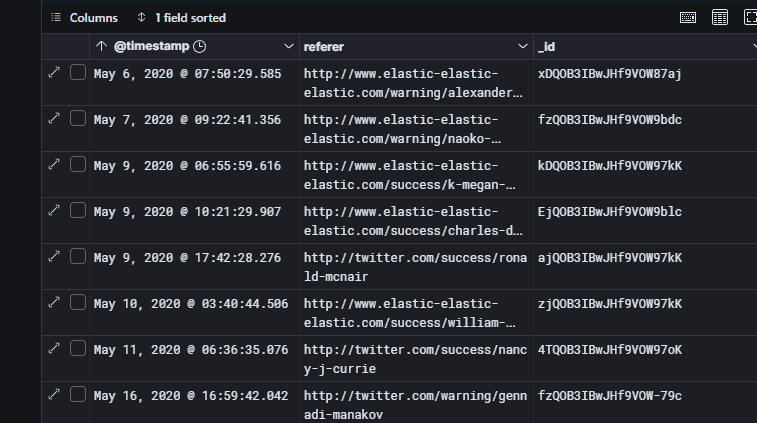
Q4: What percentage of logs are from windows 8 machines on the 11th of May? (time is in UTC)
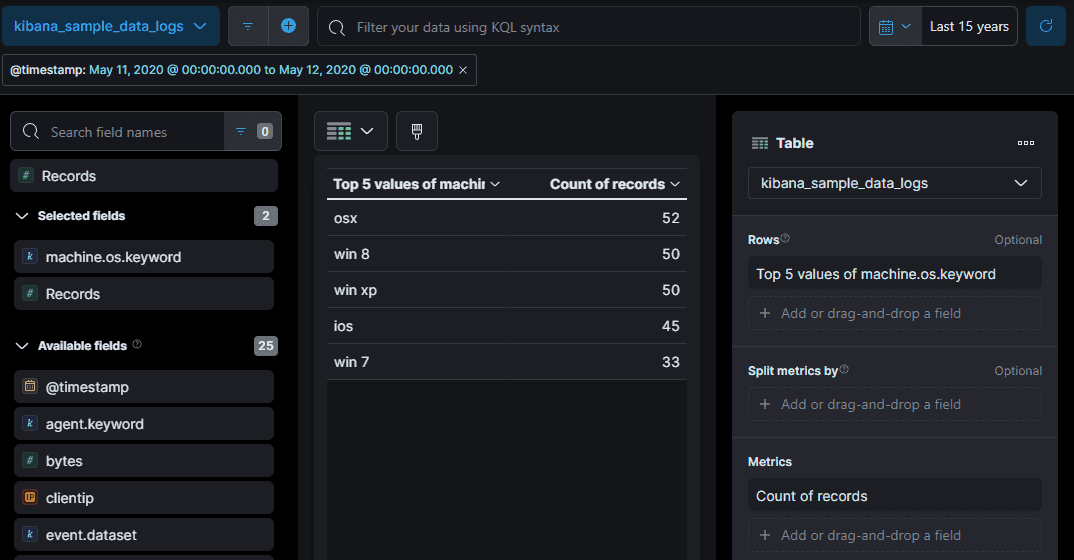
21.74%
Q5: How many 503 errors were there on the 8th of May? (time is in UTC)
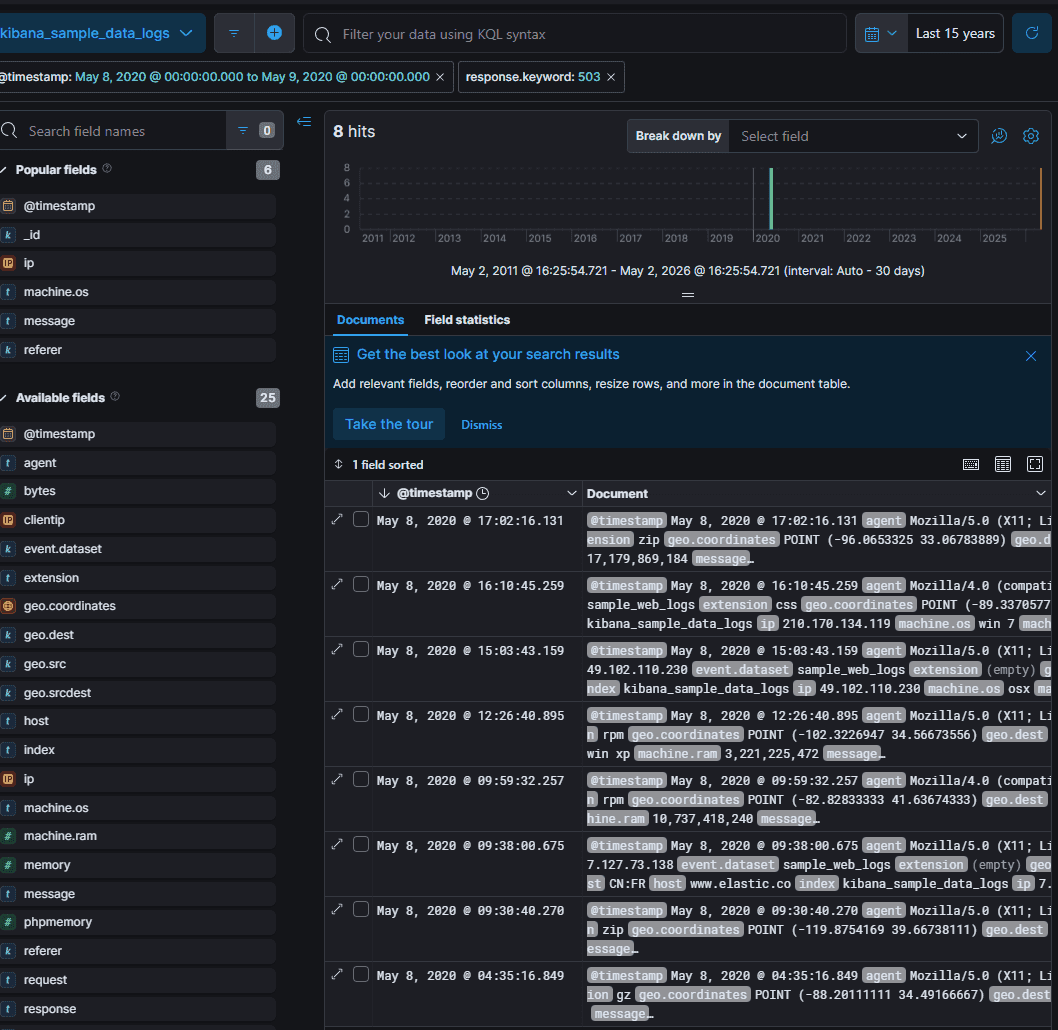
Q6: How many connections to the host "www.elastic.co" were made on the 12th of May? (time is in UTC)
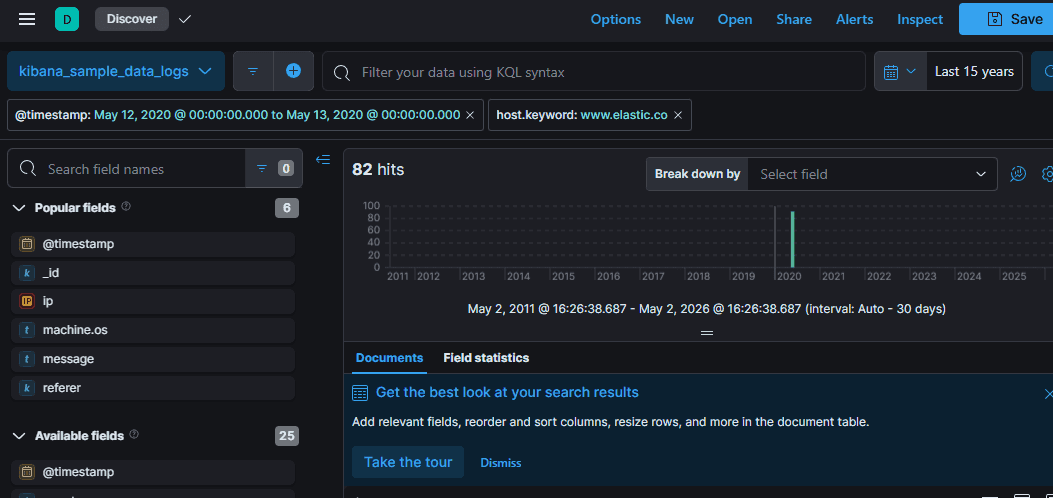
Q7: What is the second most common extension of files being accessed on the 12th of May? (time is in UTC)
.gz
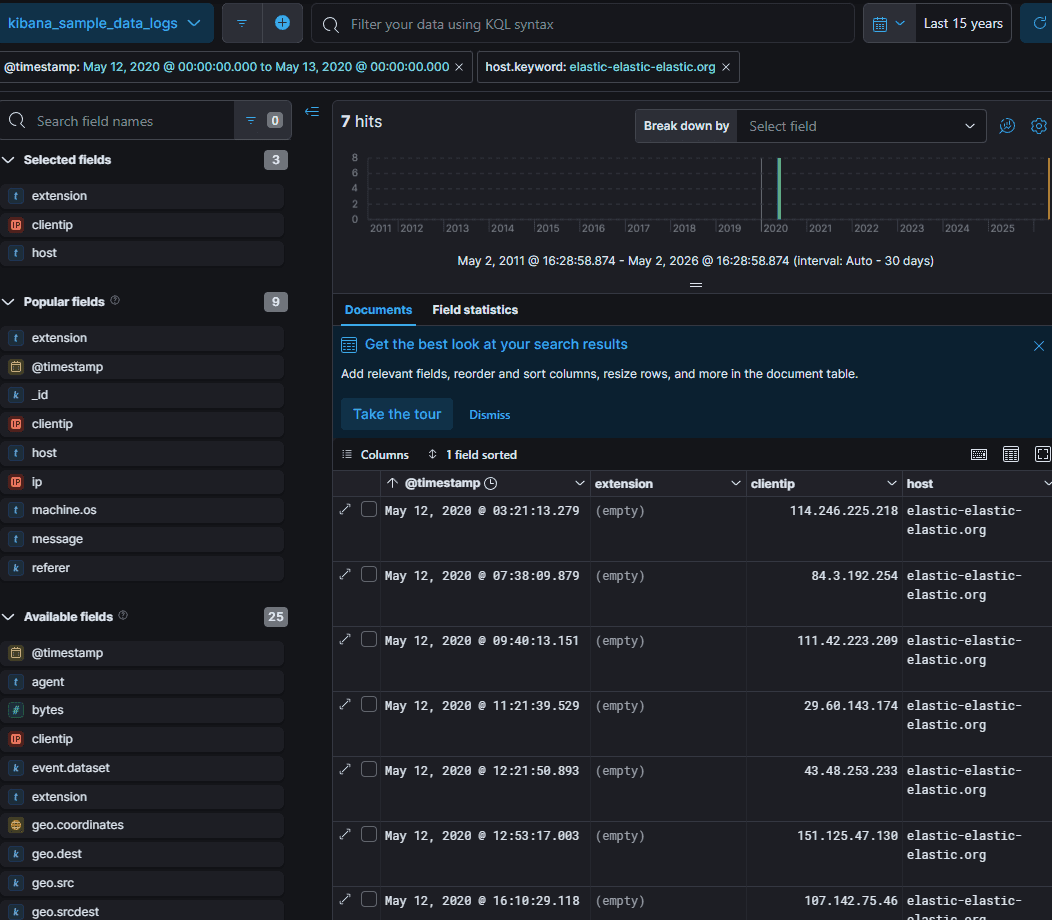
Q8: Find the first IP address to connect to the host elastic-elastic-elastic.org on the 12th of May. (time is in UTC)
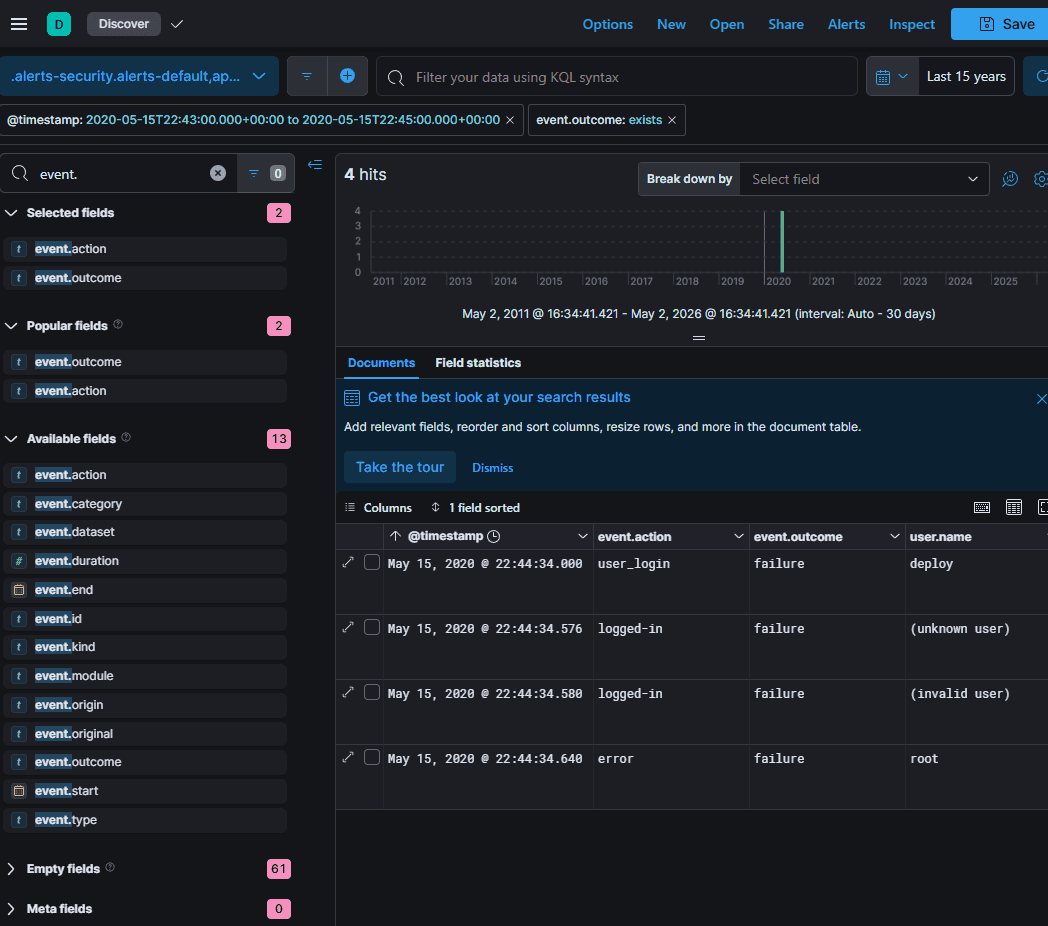
Q9: What was the username used that failed to log in on the 15th of May at 10:44 pm? (time is in UTC)
Q10: According to the logs, which vulnerable version of Kibana was identified as running in the stack?
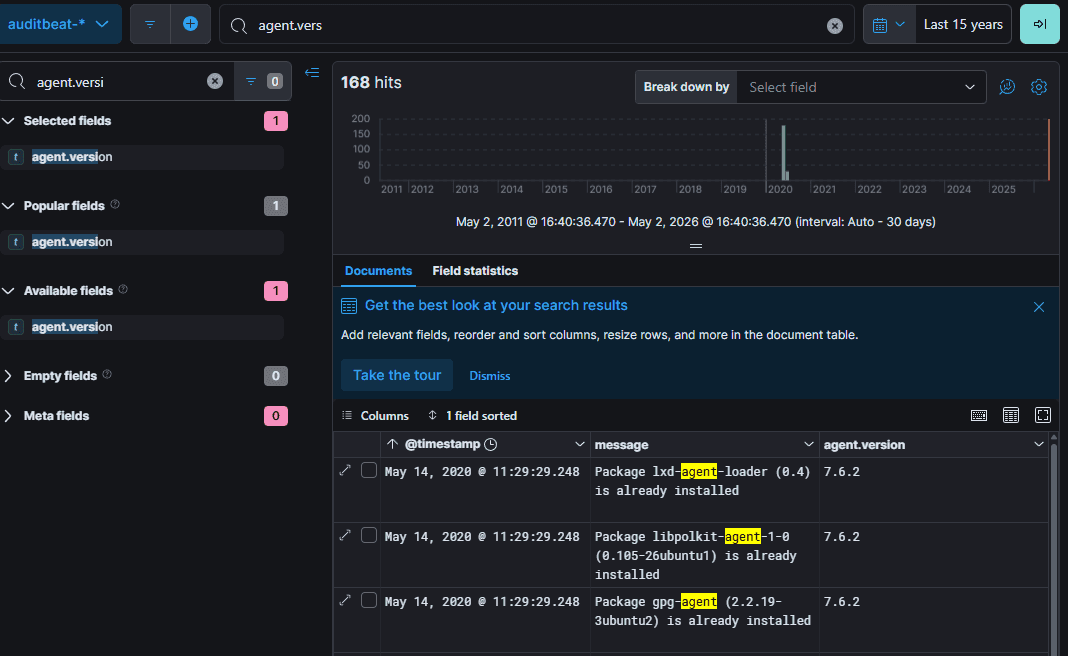
Q11: Using current data in the auditbeat index, what is the name of the elasticsearch node? (one word)
elkstack
ta dùng agent.hostname
Q12: What is the name of the beat to collect windows logs? (one word)
winlogbeat
Q13: What is the name of the beat that sends network data? (one word)
packetbeat
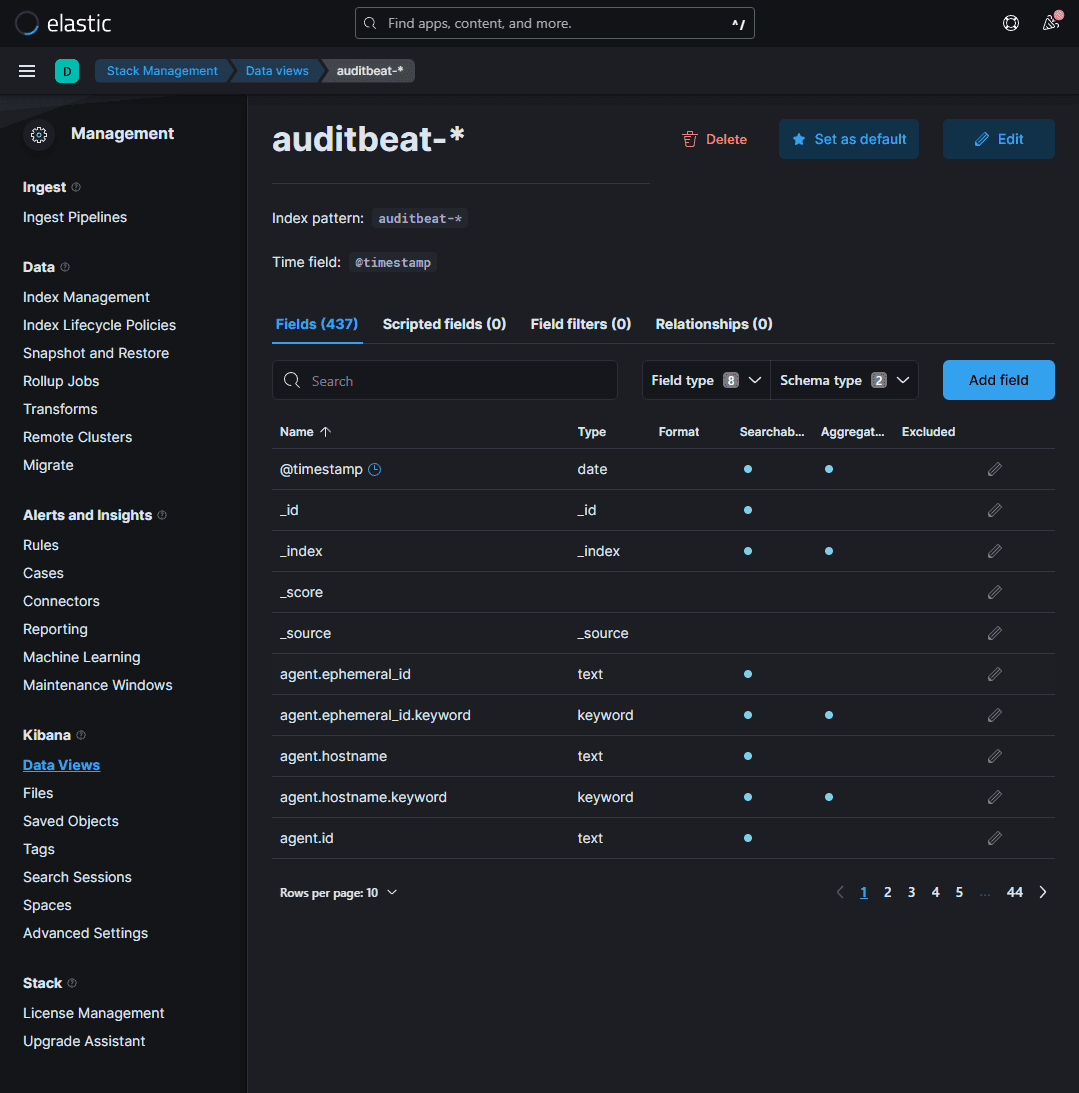
Q14: How many fields are in the auditbeat-* index pattern?
Navigate to Management > Kibana > Data view, and select the auditbeat-* pattern to view the number of fields.
437
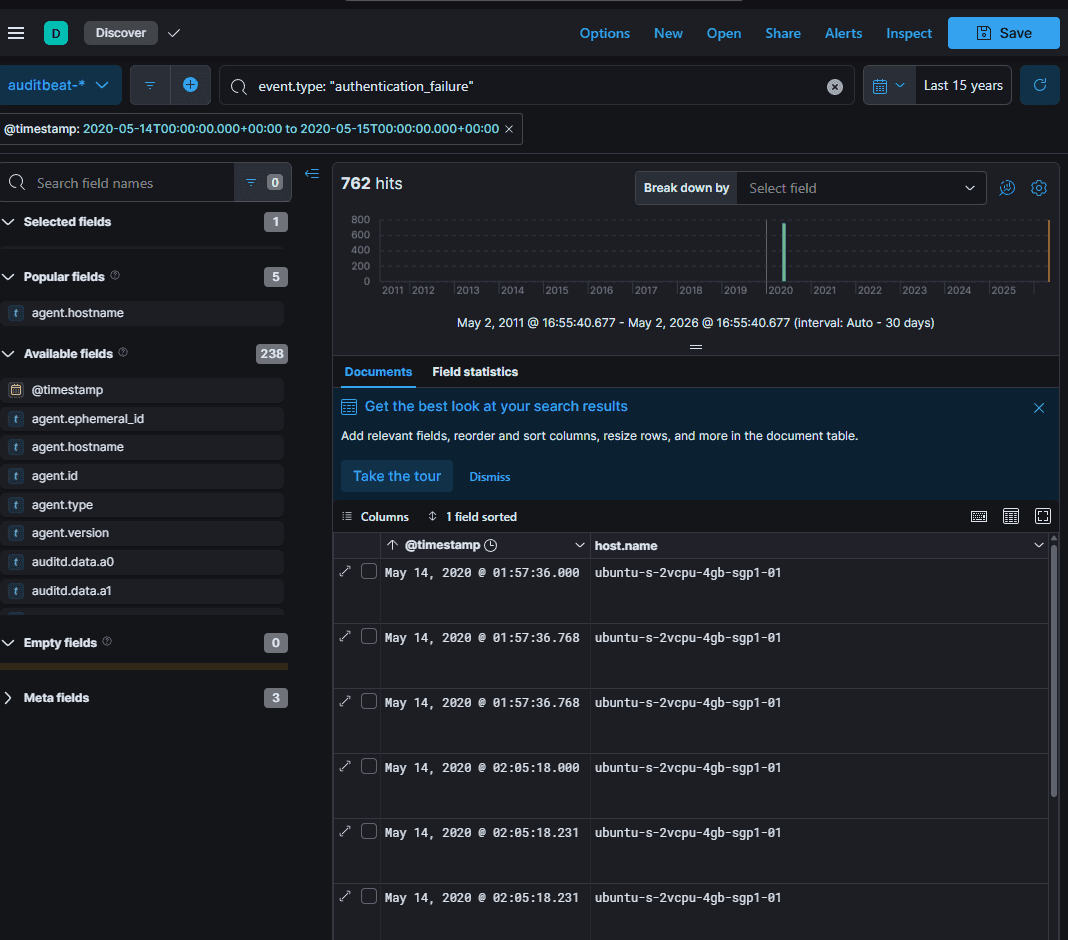
Q15: On the 14th of May, how many failed authentication attempts did the host server receive? (time is in UTC)
Chỉ có 2 server
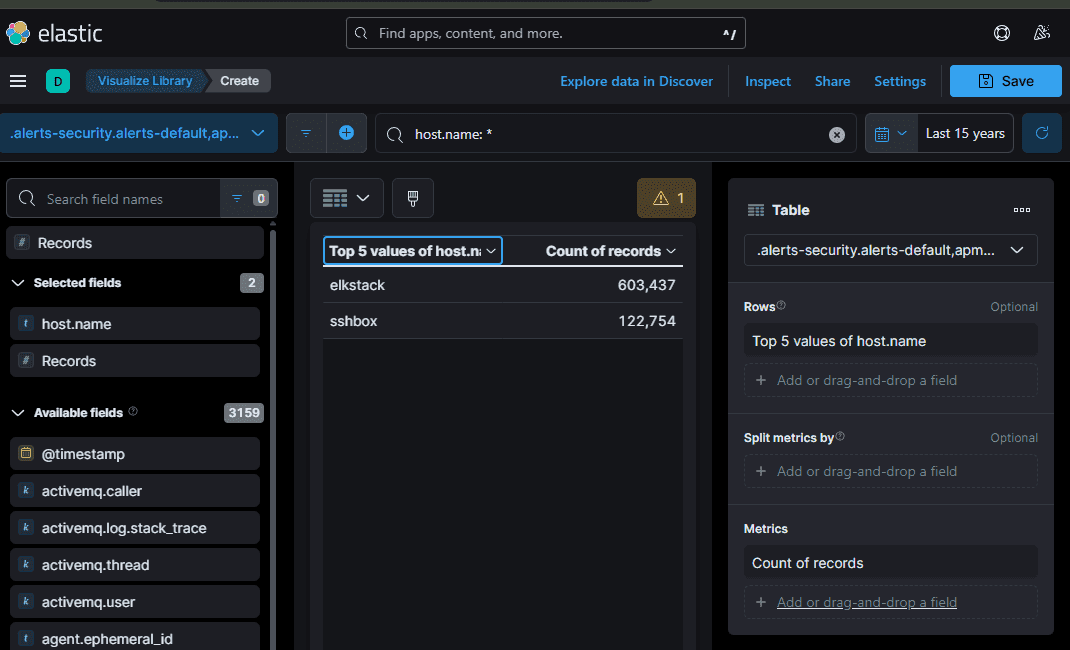
SSH port open to the web and a second server behind it running an old Elastic Stack
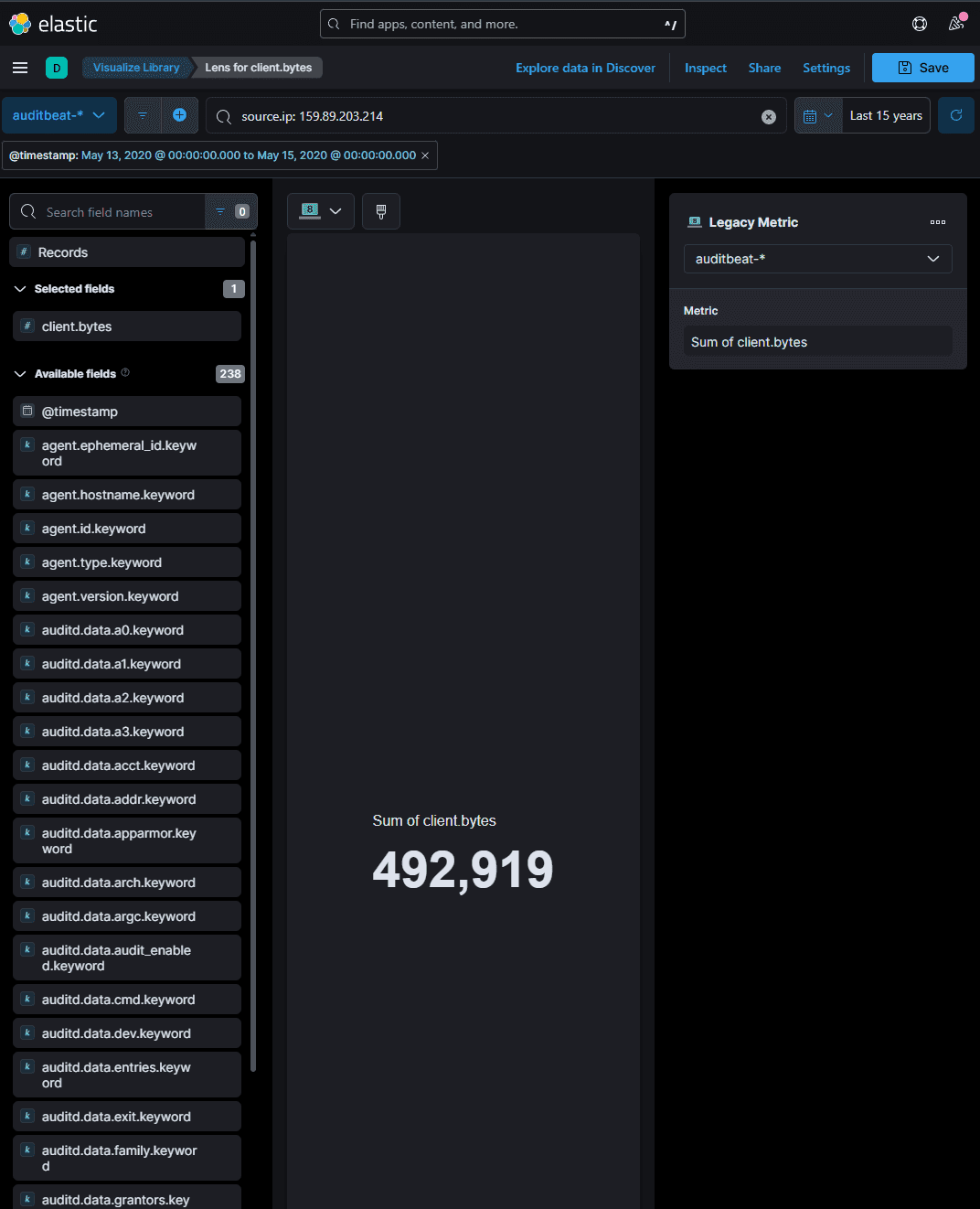
Q16: On the 13th and 14th of May, how many bytes were received by the source IP 159.89.203.214 (time is in UTC)
Q17: What username did they crack?
ta dùng event.outcome: failed and event.action: user-auth
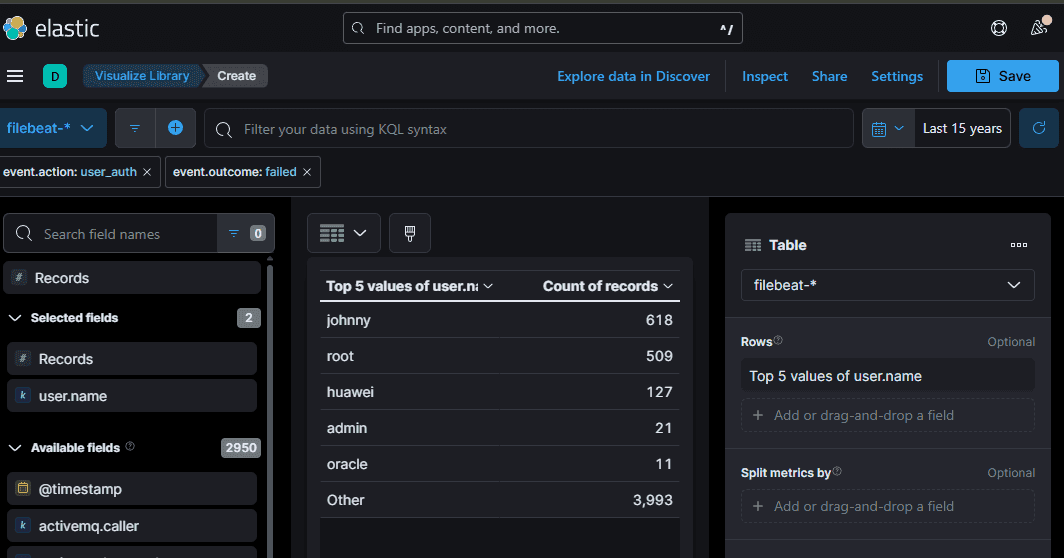
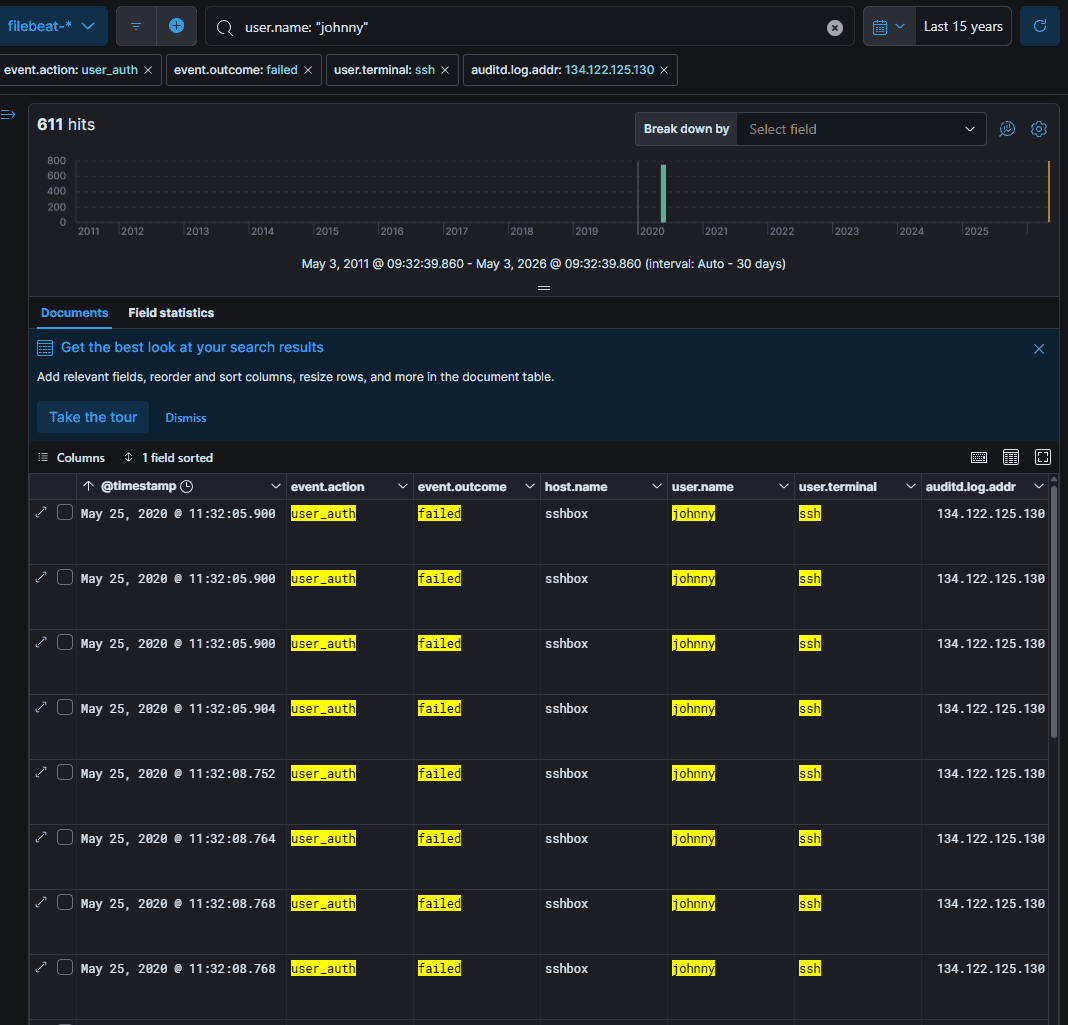
sau đó thì thành công
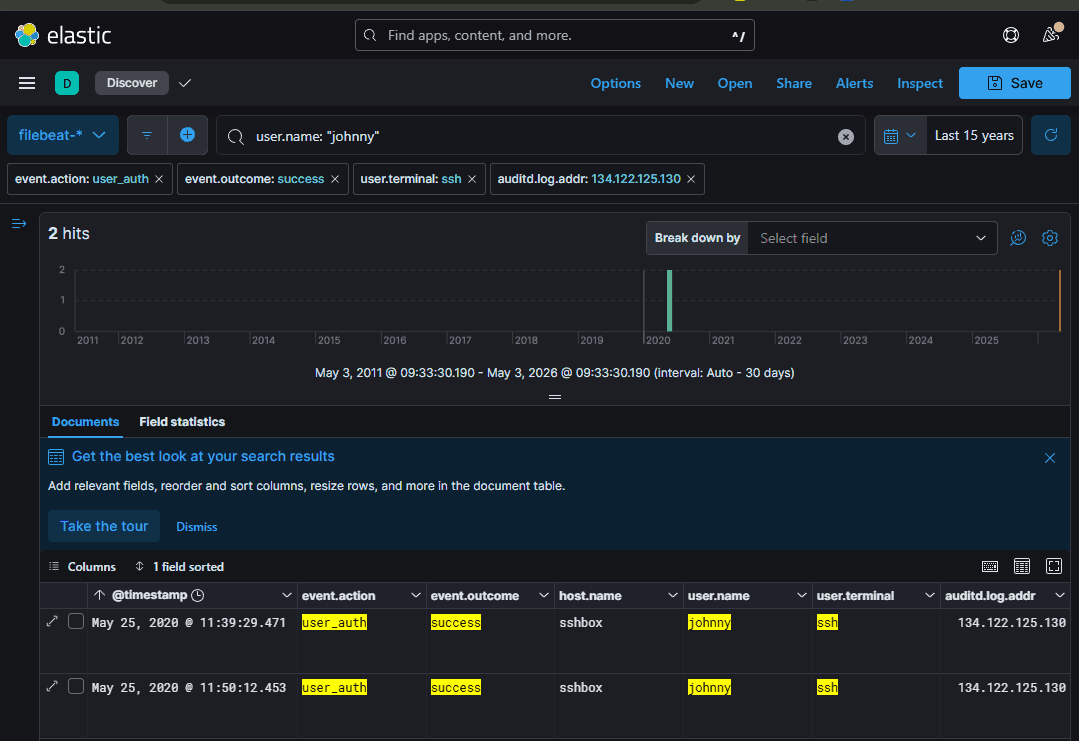
- Điểm quan trọng:
user_loginlà hành động ở cấp độ cao hơn. Nó thường là kết quả của một hoặc nhiều hành độnguser_authtrước đó.
Q18: What host was attacked?
sshbox
Q19: How many were failed attempts made on the machine?
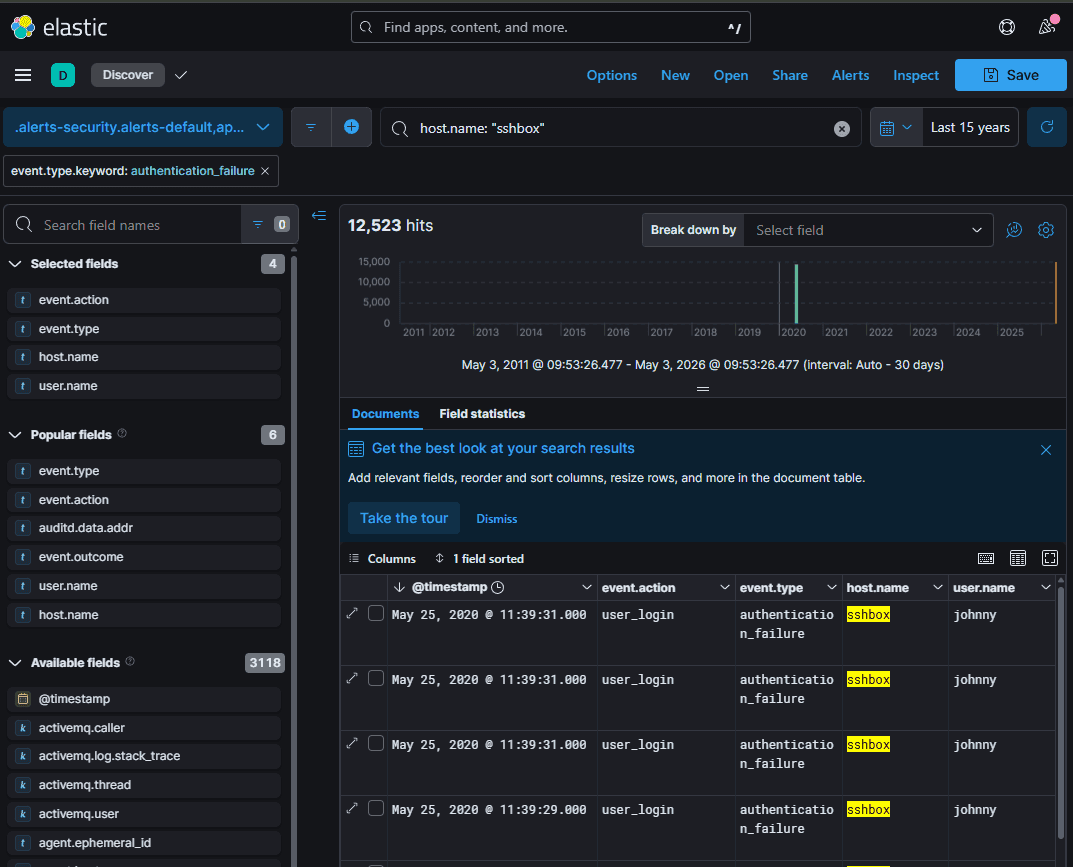
Q20: What time was the last failed attempted login?
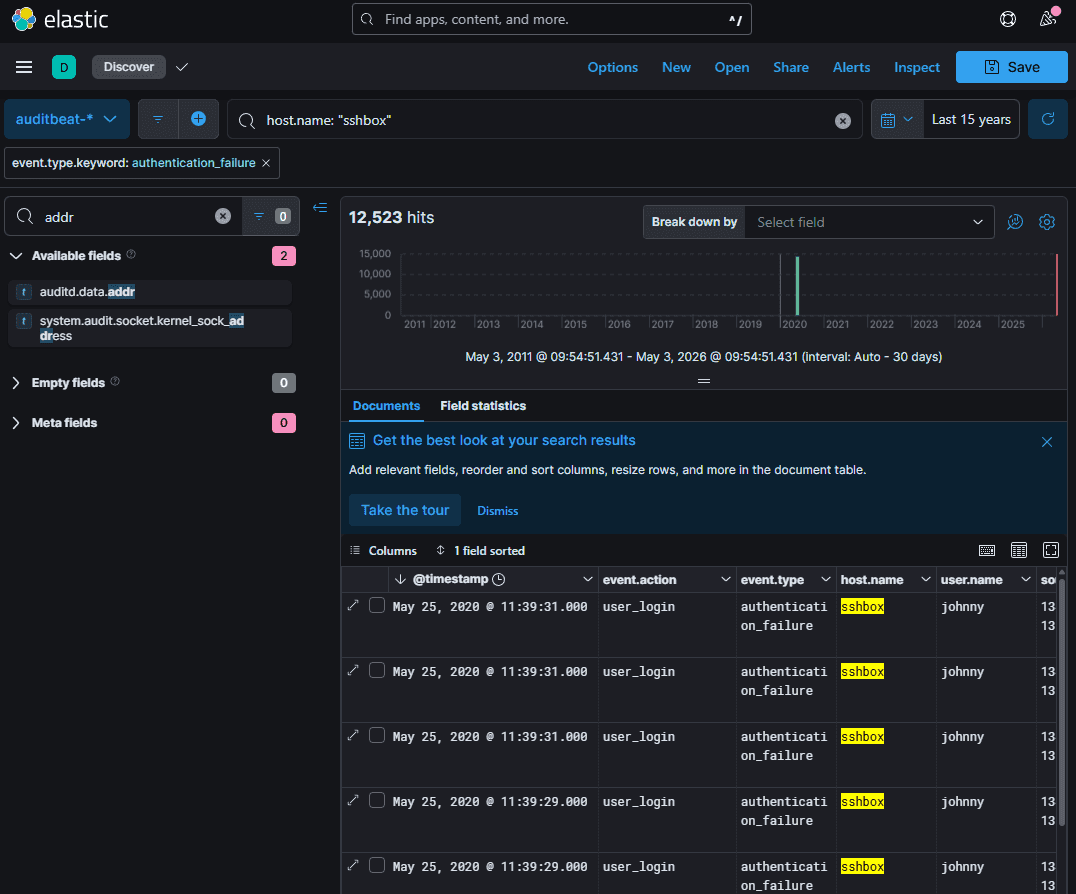
Q21: What time did the attacker successfully login?
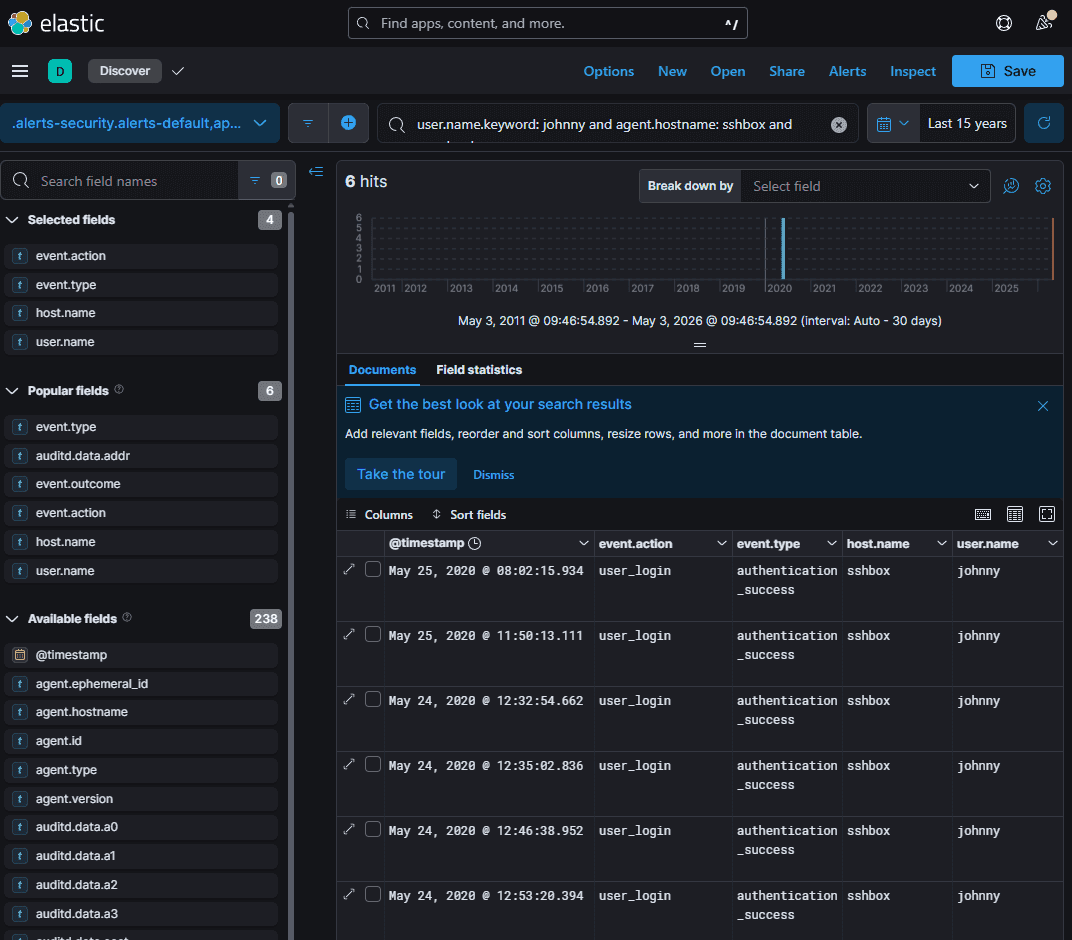
11:50:13
Q22: What tool did the attacker use to get the exploit onto the machine?
134.122.125.130
Ta tìm timestamp sau thời gian hacker vào đượ máy
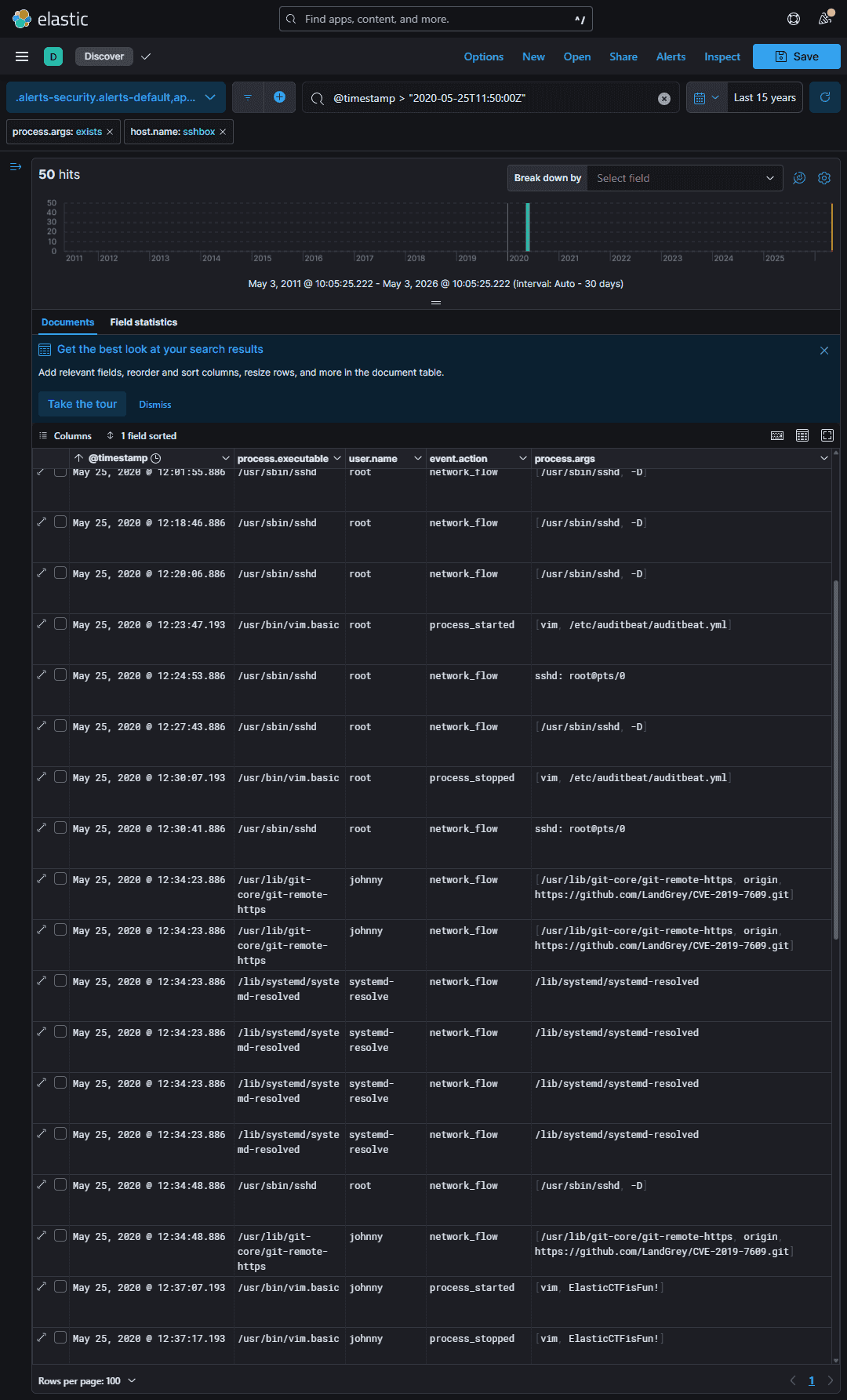
git
- CVE-2019-7609 là gì?
- Mục tiêu: Kibana (một phần của hệ sinh thái Elastic Stack - ELK).
- Phiên bản bị ảnh hưởng: Các phiên bản Kibana trước 5.6.15 và 6.6.1.
- Loại lỗ hổng: Thực thi mã từ xa (Remote Code Execution - RCE).
- Nguyên nhân: Lỗ hổng nằm trong phần tính năng "Timelion" của Kibana. Hacker có thể gửi các đoạn mã JavaScript độc hại vào tính năng này. Do việc xử lý không an toàn (Prototype Pollution), đoạn mã này có thể thoát khỏi môi trường bảo vệ và chạy trực tiếp trên máy chủ chứa Kibana.
- Công cụ "LandGrey/CVE-2019-7609"
Đường dẫn [https://github.com/LandGrey/CVE-2019-7609.git](https://github.com/LandGrey/CVE-2019-7609.git) trỏ đến một công cụ mã nguồn mở do nhà nghiên cứu bảo mật (hoặc hacker mũ trắng) có nickname là LandGrey viết ra.
- Chức năng: Đây là một mã khai thác (Exploit Code / PoC - Proof of Concept) viết bằng Python. Nó được thiết kế để tự động hóa việc khai thác lỗ hổng CVE-2019-7609.
- Cách hoạt động:
- Người dùng (người kiểm thử bảo mật) chạy script Python này và trỏ nó vào một máy chủ Kibana có lỗ hổng.
- Script sẽ tự động tạo ra một đoạn mã độc hại (payload).
- Nó gửi payload đó vào tính năng Timelion của máy chủ mục tiêu.
- Nếu thành công, máy chủ Kibana sẽ thực thi một lệnh Reverse Shell, cho phép người tấn công chiếm quyền điều khiển (lấy được command line) của máy chủ đó từ xa.
Q23: Shortly after getting the exploit on the machine, the attacker used vim to create a file. What is the name of that file?
ElasticCTFisFun!
Q24: What is the filename of the exploit that was run?
Dùng query tương tự với câu 22
process.args: exist and host.name: sshbox and @timestamp > "2020-05-25T11:50:00Z”
CVE-2019-7609-kibana-rce.py
Q25: What is the first ID of the log that shows the exploit being run?
- execve là execute with arguments and environments - system call cốt lõi của linux
- Khidùng lệnh, script, kernel Linux sẽ sử dụng lệnh execve để khởi chạy → tương đương eventID 1/4688
- proctitle: tiêu đề tiến trình - bản ghi đi kèm
- ghi lại toàn bộ command line của
execvesẽ ghi nhận: Chạy file/usr/bin/python2.proctitlesẽ ghi nhận nguyên văn cả đoạn:python2 CVE-2019... -u http..
Tức là ta phải đi tìm event.action: protitle bao gồm cái thông tin CVE-2019-7609-kibana-rce.py
_SHbS3IBCEolQs9lAD3z
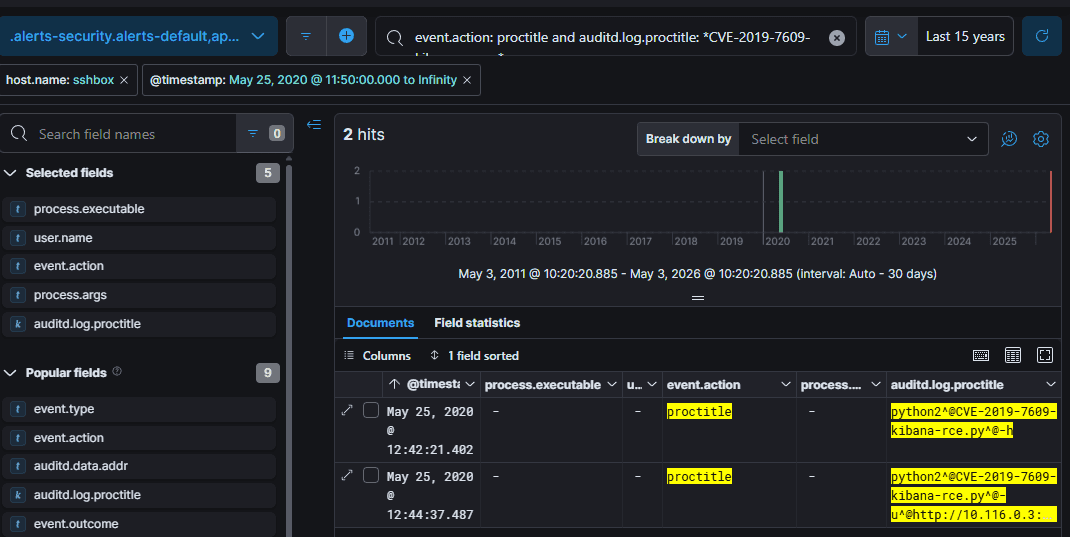
_SHbS3IBCEolQs9lAD3z rồi tìm id
Q26: What parameter turned the script from testing to exploiting?

Q27: Determining the destination IP is key to tracing the attacker’s actions. What is the destination IP address where the malicious shell was sent?
Ta thấy có nc [nc, -lvp, 8888]
xem ip là biết
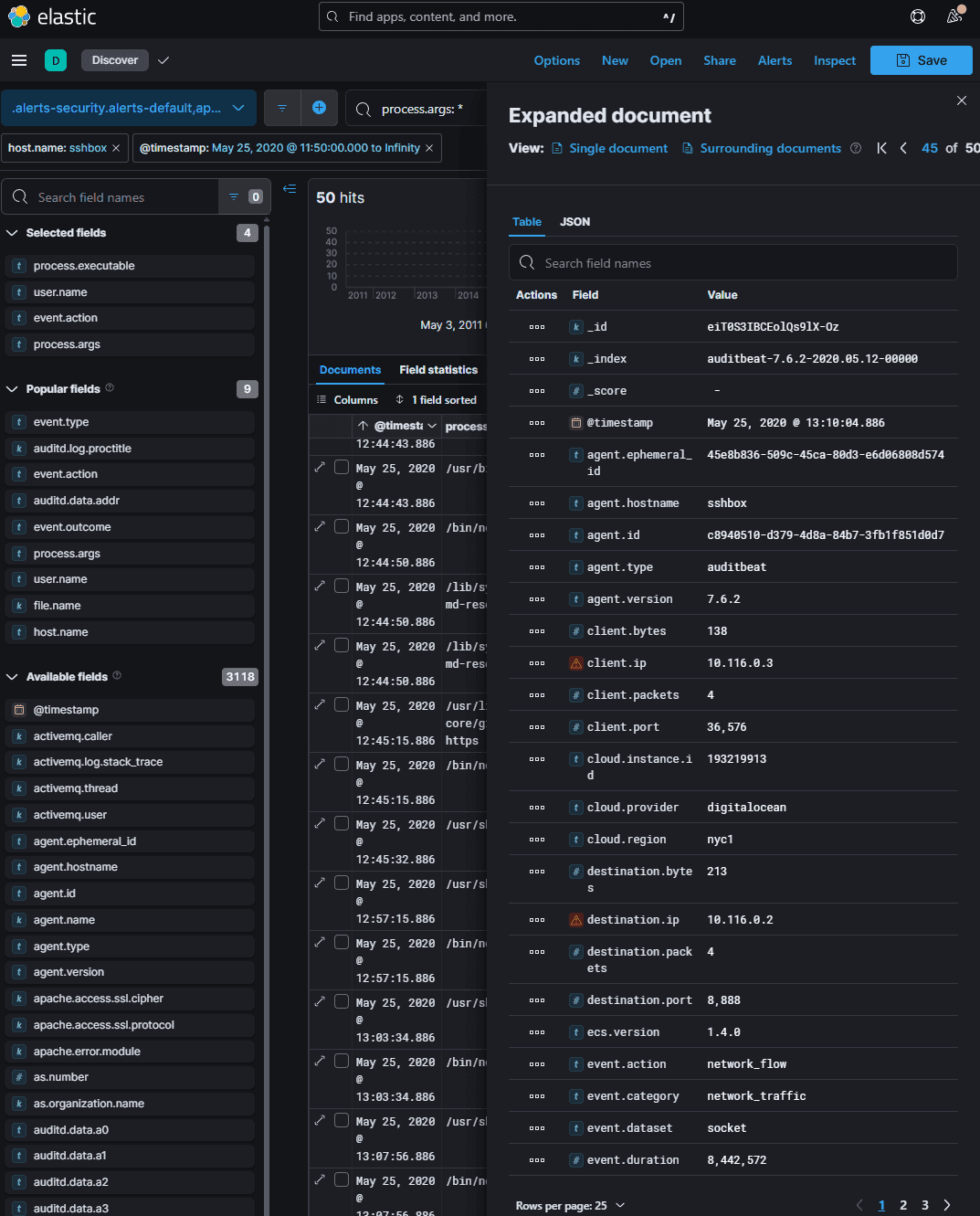
hoặc tìm bằng cái script
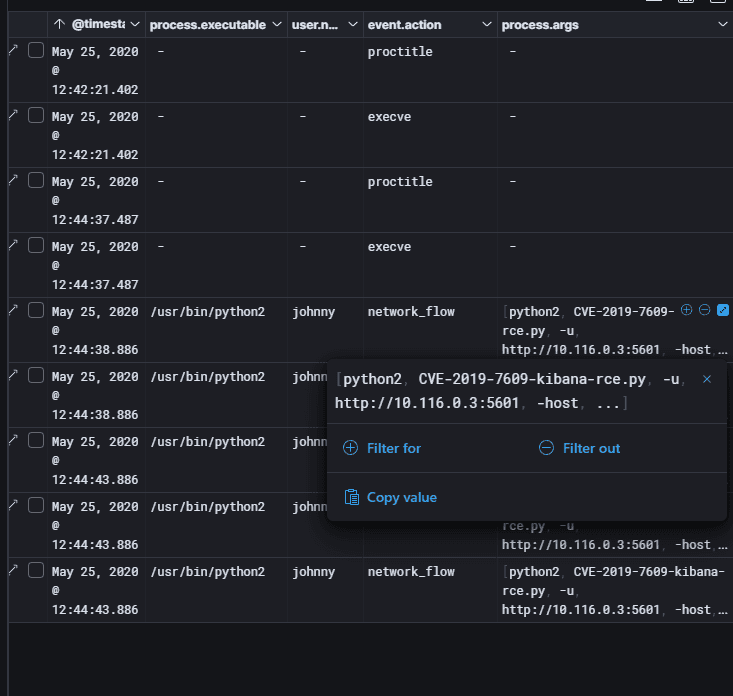
Q28: Identifying new users is vital to uncovering unauthorized access. What was the name of the user they created?
Thanks4Playing
dùng process.arge: useradd
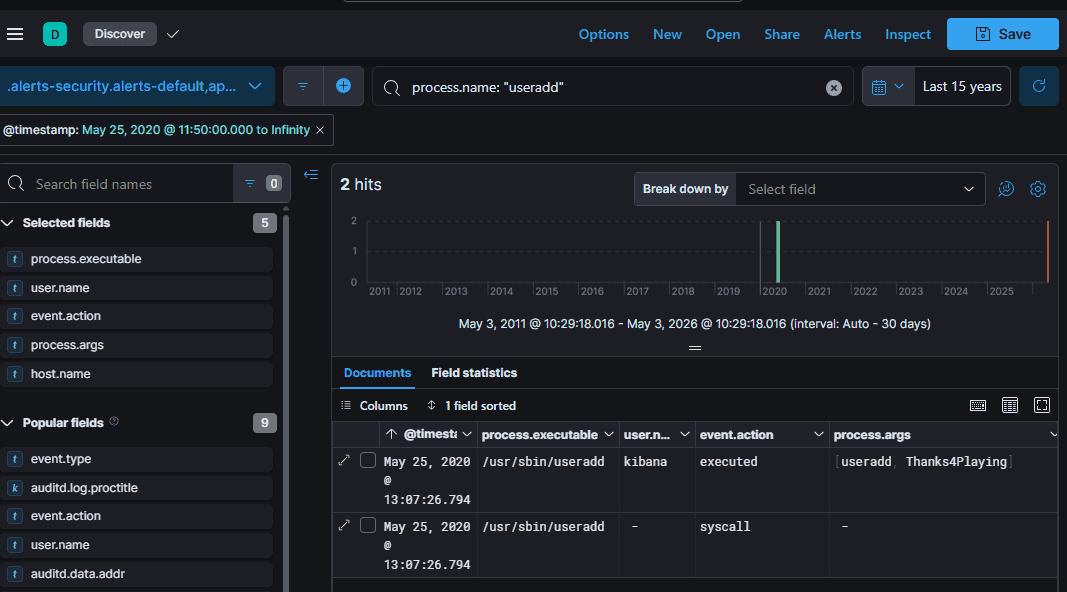
Nói thêm về linux forensics
Tại sao process.name: useradd lại khả thi
- Trong linux mọi thứ đều là file, mỗi câu lệnh lại là một process
- Các
ls,cat,grep,chmod, hayuseraddtrên terminal, chúng không phải là tính năng được tích hợp sẵn bên trong cái vỏ terminal (như bash shell). - Thực chất, chúng là những file thực thi độc lập (ELF binaries) nằm rải rác ở các thư mục như
/bin/,/usr/bin/,/sbin/. (Ví dụ:/usr/sbin/useradd). - Do đó, khi hacker (hoặc admin) gõ lệnh
useradd hacker, nhân Linux sẽ gọi System Callexecveđể chạy cái file/usr/sbin/useraddđó. Lúc này, hệ thống ghi nhậnuseraddchính làprocess.name!
Các “eventID” trên linux
A. Mỏ neo Tiến trình (Tương đương Event ID 4688 / Sysmon 1)
Bạn muốn tìm tất cả các lệnh/chương trình vừa được thực thi:
- KQL:
event.category: "process" AND event.type: "start" - Hoặc KQL:
event.action: "execve"(Nếu dùng Auditbeat) - Cách Hunt: Kết hợp với
process.name(ví dụ:bash,python,wget,curl) hoặc tìm trongprocess.args(chứa toàn bộ nội dung lệnh như bạn đã biết).
B. Mỏ neo Mạng (Tương đương Event ID 5156 / Sysmon 3)
Bạn muốn tìm xem tiến trình nào đang kết nối ra Internet:
- KQL:
event.category: "network" AND event.type: "connection" - Hoặc KQL:
event.action: "network_flow" - Cách Hunt: Từ đây, bạn nhìn vào
destination.ip,destination.portvà quan trọng nhất làprocess.nameđể xem file nào đang gọi mạng (như bài lab trước làpython2gọi C2 server).
C. Mỏ neo Đăng nhập (Tương đương Event ID 4624 / 4625)
Bạn muốn tìm dấu vết SSH hoặc đăng nhập cục bộ:
- KQL Đăng nhập thành công (4624):
event.category: "authentication" AND event.outcome: "success" - KQL Đăng nhập thất bại / Brute-force (4625):
event.category: "authentication" AND event.outcome: "failure" - KQL chi tiết hơn: Có thể dùng
event.action: "ssh_login"hoặcevent.action: "user_login".
D. Mỏ neo Tác động File (Tương đương Sysmon 11 / Object Access)
Bạn muốn biết file cấu hình nhạy cảm (như /etc/passwd hay /etc/shadow) có bị sửa đổi hay không:
- KQL Tạo file:
event.category: "file" AND event.type: "creation" - KQL Sửa đổi file:
event.category: "file" AND event.type: "change" - Cách Hunt: Lọc thêm
file.pathđể theo dõi các thư mục trọng yếu.
3. Tóm lại: Cách lắp ghép các khối Lego ECS
Để không bao giờ bị lạc lối trong log Linux, hãy nhớ công thức tư duy này khi gõ KQL:
- Tôi đang tìm loại hoạt động gì?
👉 event.category(process, network, file, authentication). - Hành động cụ thể là gì?
👉 event.action(execve, ssh_login, network_flow). - Nó thành công hay thất bại?
👉 event.outcome(success, failure).